Recover Deleted Messages
- 2.8
- Rating
- 1.00M
- Installs
- Free
- Price

 Analysis by App-foxy
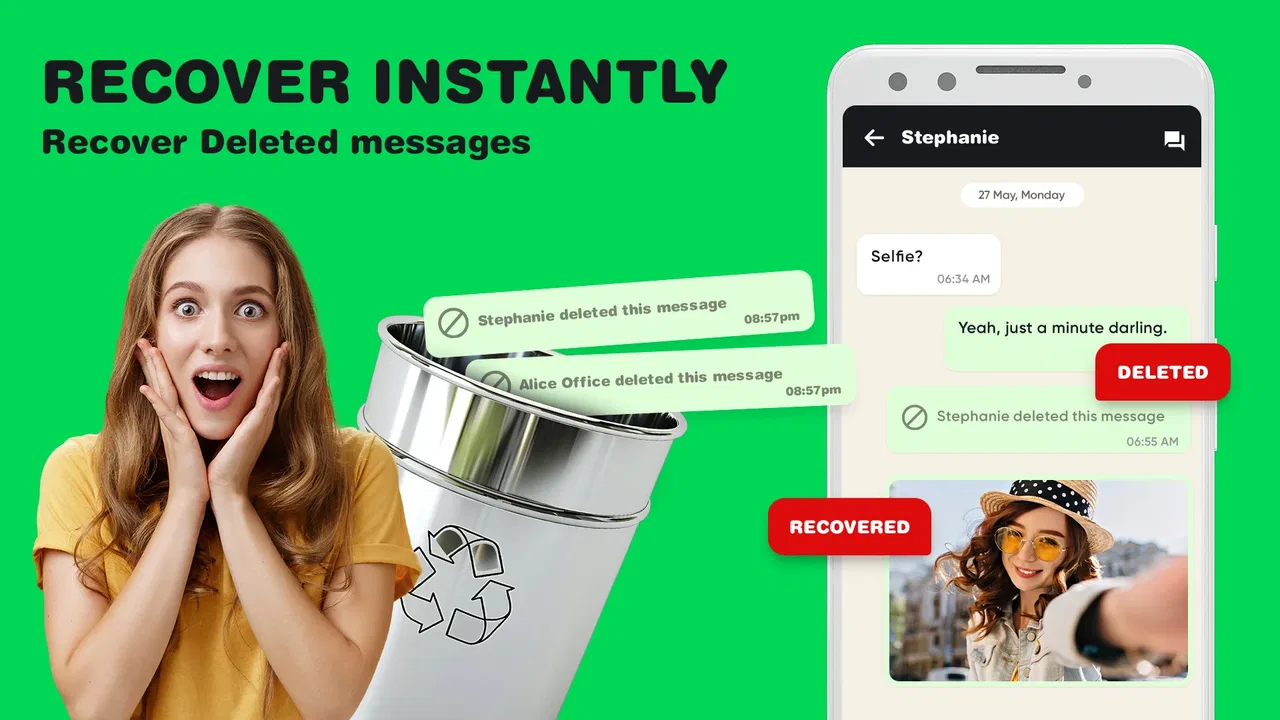
I approached Recover Deleted Messages as a practical communication utility rather than a magic undo button. Its purpose is straightforward: help bring back deleted messages and possibly recover related images, audio files, and documents through a data-recovery tool. That sounds especially useful in a busy household, where one Android phone may be passed between family members, used for school coordination, or relied on to keep track of an important conversation.
My first impression was mixed. The idea is appealing, and the app is easy to understand from the moment you see its short description, “Recover Messages.” At the same time, recovery tools depend heavily on what remains available on the device and how the original message was handled. I would not install it expecting every deleted item to return. I would install it when a lost conversation matters enough to justify trying a dedicated recovery tool, while keeping expectations realistic.
What using it feels like on a shared household phone
A realistic example is a family tablet or spare phone used by several people. A parent may receive a delivery update, a teenager may use the same device to coordinate a school activity, and another household member may later delete a message to clear space or tidy the inbox. When someone realizes that the message contained an address, attachment, or important instruction, the problem becomes less about casual texting and more about recovering a useful piece of information.
You May Also Like

 Blood Strike: 2.5 Anniversary
Blood Strike’s Loadouts Turn Every Drop Into a Tactical Gamble
A close look at Blood Strike’s custom loadouts: how fast access to signature weapons reshapes its battle royale rhythm, rewards preparation, and narrows the gap between fights.

 Pandora - Music & Podcasts
Pandora’s Music Is Easy to Start, but Harder to Recover
Pandora’s strength is its low-effort path from a seed to a station. Its weak spot is how much confidence it asks you to place in connection, setup, and quiet recovery.

 8 Ball Pool
 Is Built on Rivalries, Rematches, and Routine
A close look at the rivalries, rematches, shared routines, and unanswered safety questions that turn a quick pool match into a persistent mobile community.

 Samsung Music
’s Quiet Strength Is Playing What You Already Own
Its reach comes less from spectacle than from dependable access to a personal library. That simplicity is both the app’s strongest retention engine and its ceiling.

 AccuWeather: Weather Radar
AccuWeather Review: A Quick, Clear Forecast for Everyday Decisions
For everyday plans, the best forecast is the one you can understand quickly. AccuWeather makes rain timing, radar, and local conditions easy to act on, with a few trade-offs.

 Hill Climb Racing
Why Hill Climb Racing Still Turns Crashes Into One More Run
A tiny car, a bumpy hill and one more upgrade: Hill Climb Racing keeps resurfacing because its simple chaos makes every near-miss feel personal.
More From Our News Desk



That is where this app has a sensible role. It focuses on recovering deleted messages, images, audios, and documents instead of trying to become a complete chat platform. I like that narrow purpose because it makes the app easier to evaluate: you open it when something has disappeared, not as part of your everyday messaging routine.
In my experience, the most useful mindset is to treat the tool as a second chance, not as permanent storage. If a deleted item is still available through the phone’s recoverable data, the app may help surface it. If the data has already been overwritten, removed by the original messaging service, or never existed locally in a recoverable form, no recovery app can promise a reliable result. That distinction is important for anyone considering it for family messages or shared-device records.
The app comes from SwiftBiz Apps and sits in the communication category. It is free to install, which makes testing less intimidating, although purchases inside the app range from around four dollars to one hundred dollars per item. I would pay close attention to any purchase screen before confirming anything, especially when a shared phone is used by children or multiple adults.
Why the shared-device scenario needs caution
A shared device creates a practical complication: the person trying to recover a message may not be the person who deleted it. Before opening a recovery tool, I would first ask whose account, conversation, and files are involved. A message can contain private information even when it appears on a household phone, so recovering it should be treated as a matter of consent and trust, not simply a technical task.
This is also why I would avoid presenting the app as a way to secretly inspect someone else’s conversations. Its legitimate value is strongest when the device owner or account holder is actively trying to retrieve their own lost information, or when household members have clearly agreed to the recovery attempt.
For a family using one phone, I would make a simple rule: the person who owns the account decides what may be recovered, and recovered files are checked before being forwarded or saved elsewhere. That small boundary prevents a useful tool from turning into a source of arguments.
Setting it up without crossing account boundaries
The initial decision is not really “Can this app recover everything?” It is “What exactly am I trying to recover, and from which device?” I would identify the conversation, approximate when it was deleted, and whether the missing item was a text, picture, audio recording, or document. That preparation makes the attempt more focused and helps avoid treating every result as equally trustworthy.
I would also keep the phone as unchanged as possible after noticing the deletion. Continuing to download large files, record videos, or install several other tools can make recovery harder if the deleted data is eventually overwritten. This is one of the less obvious points about recovery utilities: waiting while continuing normal heavy use may reduce the chance of finding anything useful.
Another practical step is to review the recovered material carefully rather than accepting the first result. A recovery screen may show duplicates, partial files, old items, or entries that look similar to the one being sought. For a household document, such as a school form or delivery note, I would compare the file name, date, and visible content before assuming it is the correct copy.
The safest workflow is to recover first, verify second, and share only after checking ownership and context. That sequence is more important than speed. It also reduces the chance of sending an incomplete image or an unrelated message to a family group.
What the app can and cannot replace
This tool should not be confused with a normal backup system. A backup is designed to preserve information before something goes wrong; a recovery app is used after deletion has already happened. If your household depends on messages for medical appointments, travel details, school schedules, or work documents, a regular backup habit is still the better foundation.
It also does not replace the original messaging service. If the conversation is still available through the sender, recipient, cloud history, email attachment, or a family group, asking for the message again may be quicker and more reliable than attempting recovery. I would try those simple alternatives first when the information is urgent.
Where the app becomes more attractive is when the other person is unavailable, the attachment was unique, or the message was deleted from the device before anyone realized it mattered. In those cases, a dedicated recovery attempt can be worthwhile. The trade-off is that the result may be incomplete, and the process can require patience.
Using it to coordinate a household
For coordination, I see three especially sensible uses. The first is recovering a deleted image containing practical information, such as a photographed notice or a location shared in a conversation. The second is trying to retrieve an audio message when the sender is not available to resend it. The third is looking for a document that was received through messaging and then removed during a cleanup.
These uses are different from trying to reconstruct an entire chat history. A focused search for one missing attachment is easier to judge than a broad request to restore every conversation. It also keeps the recovery process tied to a clear household need instead of encouraging unnecessary access to old personal messages.
I would create a small coordination habit around the app: write down what was lost, who originally sent it, and why it is needed. For example, if a parent is searching for a deleted document used by a student, noting the sender and approximate conversation makes it easier to recognize the correct result. This is a simple technique, but it prevents a recovery attempt from becoming a confusing pile of unrelated files.
There is another useful trade-off. Recovering a file may solve the immediate problem, but it can also expose older material that should not be circulated. On a shared phone, I would move only the confirmed item to an agreed location and avoid casually browsing or forwarding everything the tool displays.
Age, trust, and everyday family use
The app carries an Everyone content rating, so it is presented as suitable for a broad audience. That does not remove the need for adult guidance on a shared device. The sensitive part is not the age label; it is the possibility of viewing private conversations, personal images, voice recordings, or documents.
For a younger user, I would explain that recovering a deleted message is not the same as having permission to read someone else’s messages. A child might reasonably think that anything visible on a family tablet belongs to everyone, while an adult may expect account privacy. Agreeing on that boundary before a recovery attempt is far better than trying to settle it afterward.
I would also keep purchase decisions with the account owner. Since the app is free to start but includes individual in-app purchases that can reach roughly one hundred dollars, a shared device deserves extra attention around payment confirmation. I would not let a child experiment with paid recovery options without an adult checking what is being offered and whether the likely value justifies the cost.
Trust matters in another way: a recovered message may be old or incomplete, and its appearance can invite assumptions. I would avoid using a recovered fragment as proof of what someone intended to say. For family coordination, the right response is often to ask the sender directly when possible, especially if the recovered content could cause conflict.
Performance expectations and useful alternatives
Recover Deleted Messages has passed the one-million-install mark, which suggests that the problem it addresses is familiar to many Android users. Its average rating is 2.9 from around two thousand six hundred ratings, so I would read that as a reason to approach it with measured expectations rather than assuming consistent results on every phone.
The current version is 5.6, and it supports Android 7.0 or later. That makes it relevant to a wide range of Android devices, including older household phones that may still be used as backup communication devices. Compatibility alone, however, does not guarantee that a particular deleted message can be restored. The phone model, messaging app, storage behavior, and time since deletion all matter in practice.
Compared with ordinary messaging apps, this utility has a much narrower job. A messaging app is better for sending, organizing, and continuing a conversation. Compared with a cloud backup, it is more of a rescue attempt than a prevention strategy. Compared with asking the sender to resend something, it is slower and less certain, but it can help when resending is not possible.
That comparison leads to a clear recommendation. I would choose this app for a specific recovery problem on an Android device, especially when the missing item is an attachment or an important message that cannot easily be requested again. I would choose a backup solution for ongoing household protection, and I would choose the original messaging service for normal communication.
Questions I would answer before installing
Would I use it for every deleted message? No. I would first check whether the sender, recipient, email account, file manager, or existing backup still has a copy. Recovery software is most useful when those ordinary routes have failed or are unavailable.
Would I use it on a shared family phone? Yes, but only with clear permission from the account holder. I would avoid opening private conversations merely because the device is shared, and I would keep recovered files limited to the household purpose that justified the search.
Is the free installation enough to guarantee recovery? I would not assume that. The app can be installed without an upfront price, but its optional purchases mean that a user should inspect the screen carefully before paying. I would never spend money until I had identified the exact item I was trying to recover and considered whether asking for a replacement copy would be easier.
Is it suitable for a child to manage alone? The Everyone rating makes it broadly accessible, but I would still prefer an adult to supervise recovery attempts because the results may include private material and payment options. The age label should not be treated as a substitute for household rules.
Should someone install it immediately after deleting a message? I would act carefully. Avoiding unnecessary activity on the phone may be sensible, but installing any new tool also changes the device. If the message is important, I would stop heavy use, check simpler sources, and then make one deliberate recovery attempt rather than repeatedly installing unrelated apps.
My household verdict
My view is that Recover Deleted Messages is a useful specialist tool with a very specific place in a household’s communication routine. I like its focus on messages and related media, and I can see genuine value when a deleted document, image, audio clip, or text cannot be obtained again from the original sender. Its free entry point also makes a cautious trial possible.
Still, I would not describe it as essential for every Android user. The modest average rating, the uncertainty built into deleted-data recovery, and the presence of purchases mean that this is an app to approach deliberately. It is not a replacement for backups, respectful account boundaries, or ordinary communication habits.
For me, the deciding question is simple: do you have a specific lost item, permission to recover it, and a sensible reason not to request another copy? If the answer is yes, this communication app is worth considering. If the answer is no, I would skip the recovery attempt and improve the way important household information is backed up and shared instead.
SwiftBiz Apps has made a tool aimed at a real frustration, and it can be helpful when used with patience. My recommendation is cautious but positive: use it as a targeted rescue option, verify anything it finds, keep family privacy in view, and treat every paid prompt as a decision rather than an automatic next step.
FAQs for Recover Deleted Messages
01What is Recover Deleted Messages, and how does it work?
Recover Deleted Messages is an app designed to help users retrieve messages that have been accidentally deleted from their devices. It works by scanning your device for deleted messages and then restoring them. The app supports various messaging platforms and provides an easy-to-use interface for seamless recovery.
02Is Recover Deleted Messages safe to use?
Yes, Recover Deleted Messages is generally safe to use. The app requires access to your messages to function properly, but it does not store or share your data with third parties. Always ensure you download it from a reputable source like the Google Play Store or Apple App Store to avoid security risks.
03Which messaging apps are compatible with Recover Deleted Messages?
Recover Deleted Messages is compatible with several popular messaging apps, including WhatsApp, Messenger, and Instagram. However, compatibility may vary depending on the specific version of your device's operating system, so it's advisable to check the app description for detailed compatibility information before downloading.
04Does Recover Deleted Messages require an internet connection?
No, Recover Deleted Messages does not require an internet connection to recover and restore deleted messages. The recovery process is conducted entirely on your device, ensuring that your data remains private and secure throughout the process.
05Are there any limitations on the number of messages I can recover?
While Recover Deleted Messages does not explicitly limit the number of messages you can recover, the app's effectiveness may depend on factors like how recently the messages were deleted and whether new data has overwritten the deleted messages. It's best to attempt recovery as soon as possible after deletion for optimal results.
Pros
- Recovers messages quickly and efficiently.
- Supports multiple messaging platforms.
- User-friendly interface for easy navigation.
- Compatible with both Android and iOS devices.
- Regular updates improve performance.
Cons
- Limited free features available.
- May require root access on some devices.
- Subscription required for full features.
- Occasional compatibility issues reported.
- Data recovery not always guaranteed.

Recover Deleted Messages
Gallery